
Prepare documents and reusable templates
Place signature and form fields, reuse document layouts, and fill regular documents with company, customer, and request details.
Add the fields a document needs, choose who signs, and follow the request. Reuse templates for documents your team sends regularly.
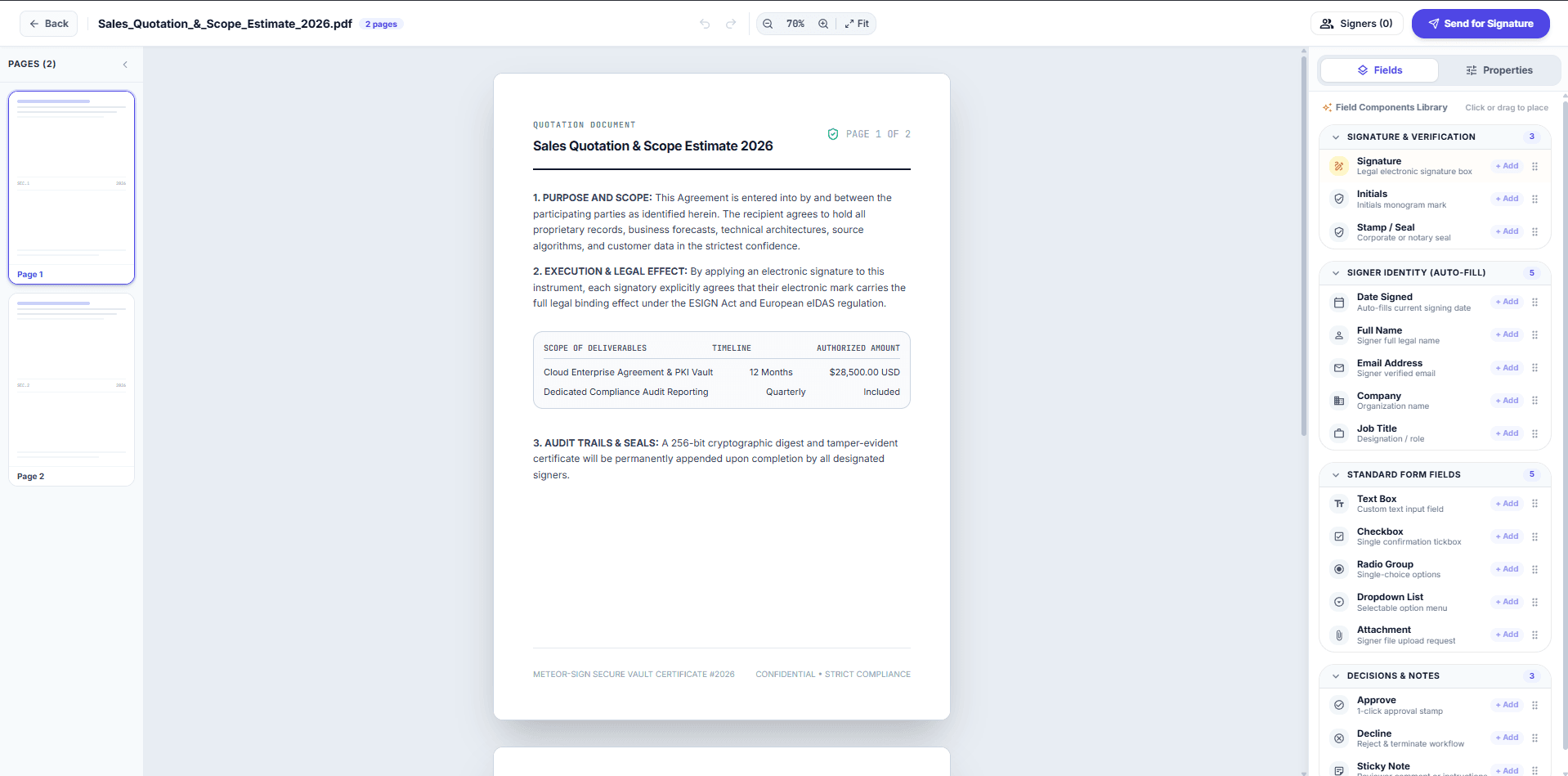
Keep document setup, recipients, and follow-up in the same place.
Place signature and form fields, reuse document layouts, and fill regular documents with company, customer, and request details.
Add people who sign, approve, or receive a copy. Choose an ordered or parallel signing process, and prepare bulk requests for a defined audience.
Recipients can draw, type, or upload a signature and move through the fields assigned to them. Review access-code and verification requirements for the request.
Separate drafts, your signing tasks, requests waiting on others, and completed documents. Review recipient progress, download completed files, and inspect activity records.
Intake forms and follow-up rules can support the document process. Confirm the setup your team needs in a walkthrough.
Explore document preparation and tracking through actual application screens.
Meteor Sign · Document tracking
The tracking view separates sent documents from requests waiting on others, with recipient counts, signing progress, search, and status filters.
Open full-size view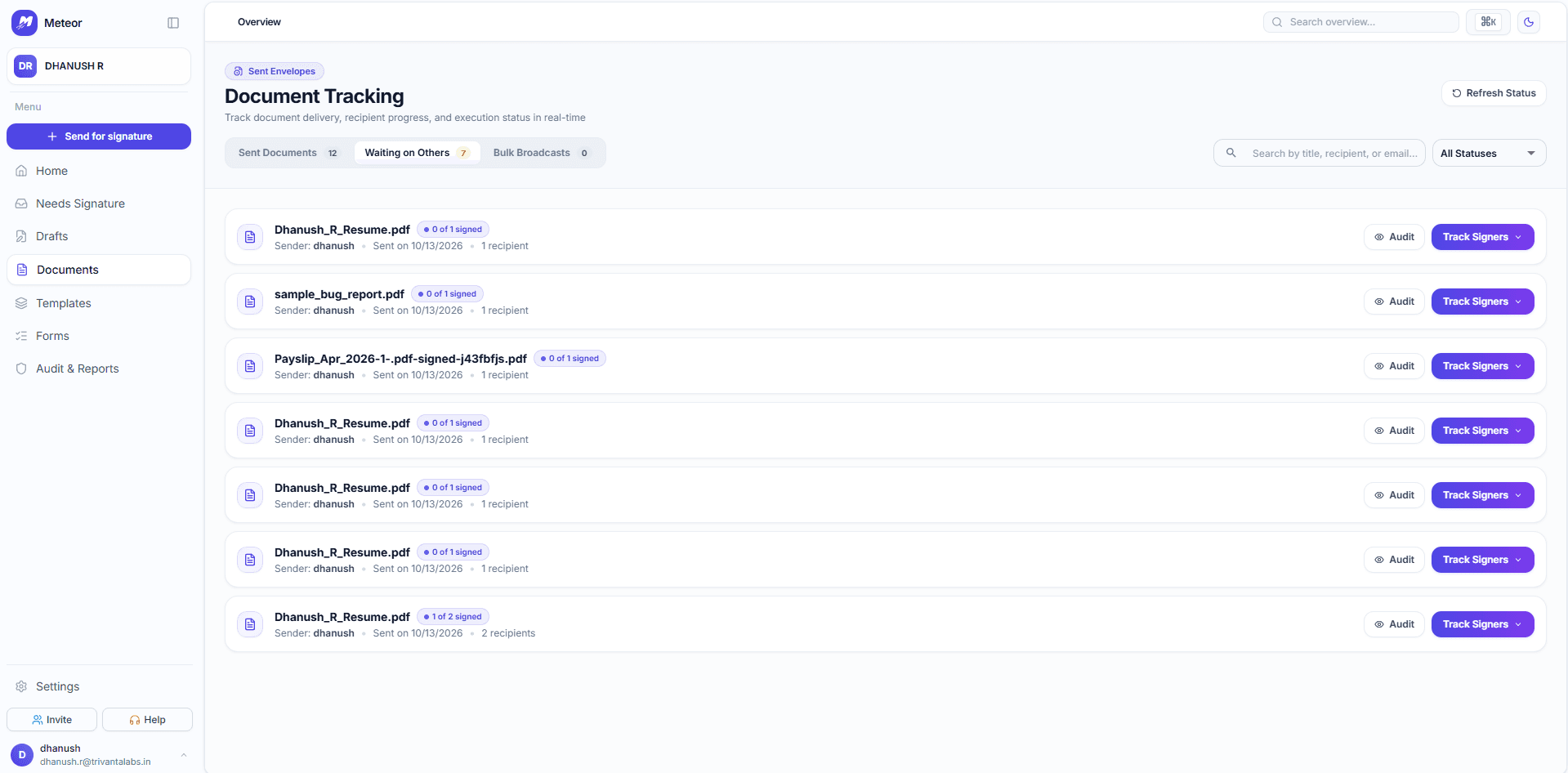
Bring a sample agreement or form. We can show the fields, recipients, and tracking together.